

Domains and categories
Block or allow content and choose whether subdomains are included.

Web Control
Define allowed or blocked sites and categories, create profiles for users and departments, apply schedules and manage temporary exceptions. Policies become active on endpoints only after publication.
A policy people can understand
Guided configuration separates what the company blocks or allows from profile-specific rules. Changes remain in draft until they are published.
Block or allow content and choose whether subdomains are included.
Specific rules override general rules and follow accounts, groups or organizational units.
Control can follow weekly schedules without confusing blocking with logging.
Authorized operators can grant temporary or permanent, revocable access.
Central governance across multiple levels
The general configuration establishes company behavior. Profiles and endpoints can then receive more specific rules while preserving a clear hierarchy and one published version to govern.
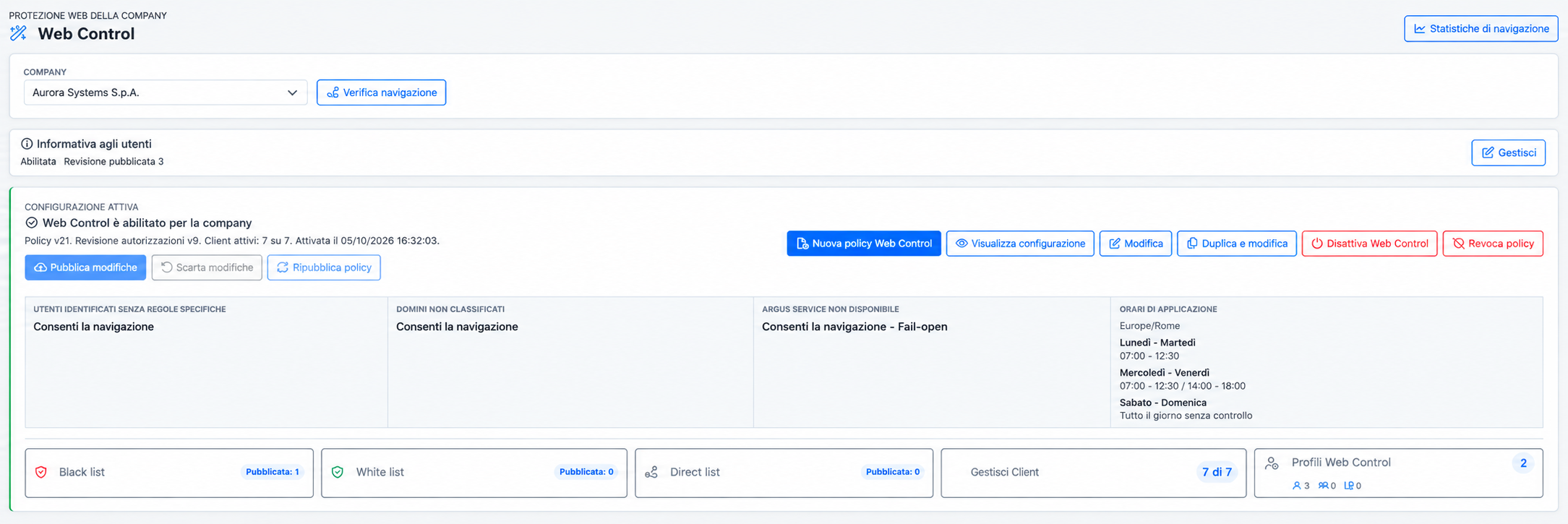
Status, published revision, active endpoints and schedules are presented in one view.
Governed exceptions
User, domain, reason, duration and outcome remain recorded and verifiable by authorized administrators.
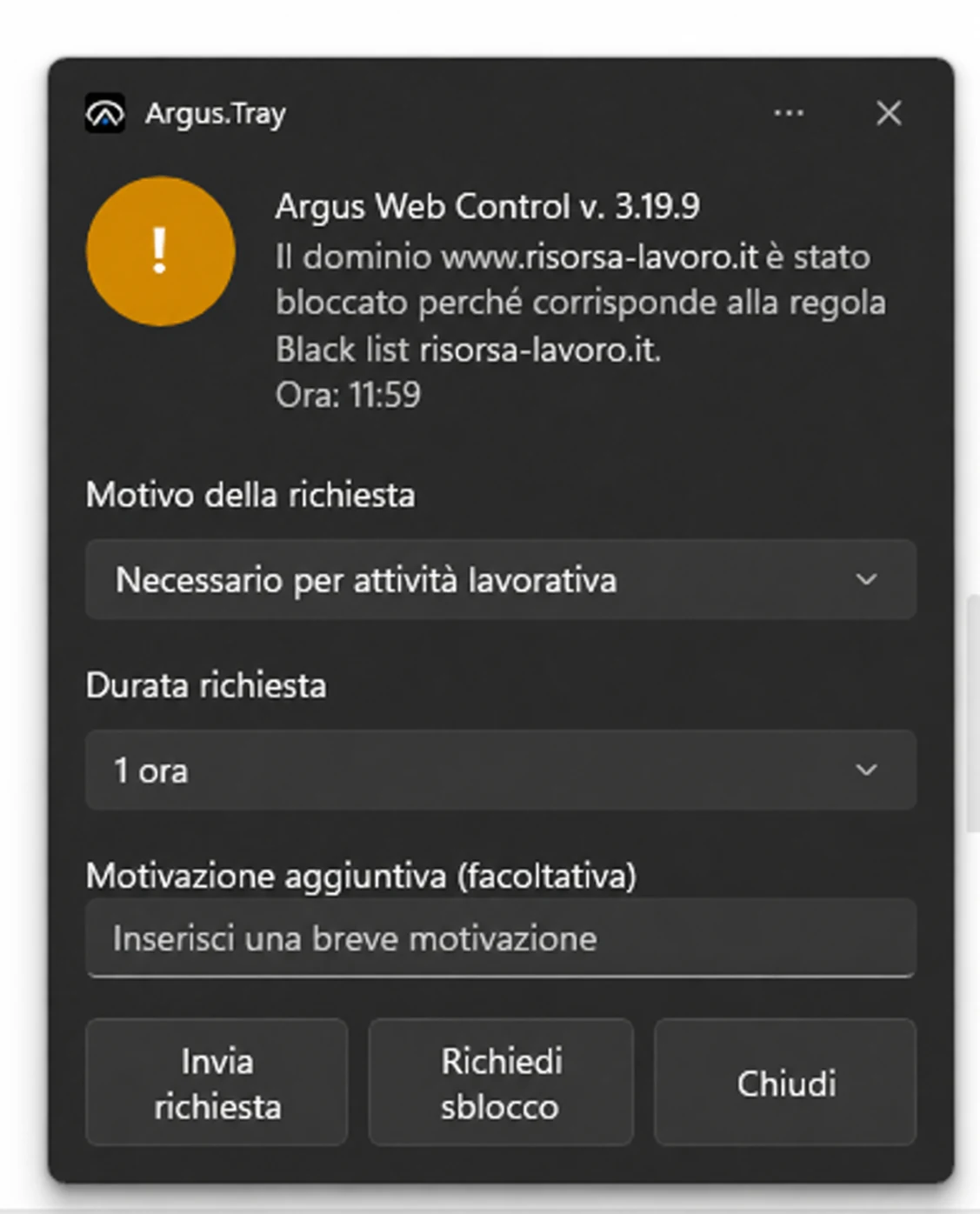
If a domain has been placed in the wrong category, or correctly belongs to a blocked category but is required for a specific work activity, the user can submit a request. The policy determines whether requests are available and defines selectable reasons, durations and any additional justification.
The IT administrator can:
This is not an informal bypass. The standard request preserves the request, review and outcome within the Argus control perimeter.
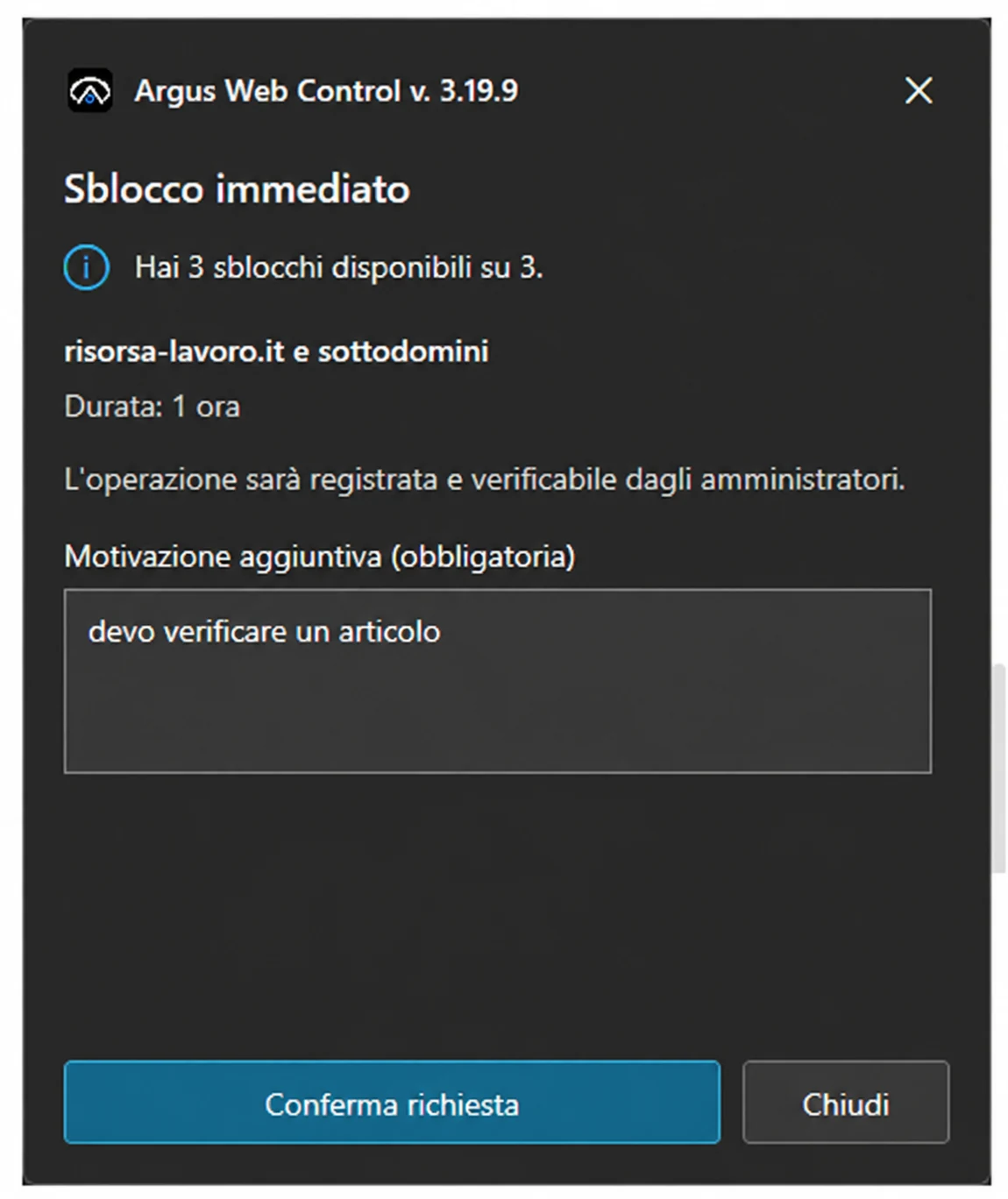
When a user needs to reach a blocked site immediately, Argus can authorize access without waiting for prior IT review. The unblock is granted only when the capability is enabled by policy and the user still has an immediate unblock available.
The user provides a reasonThe request identifies the domain and operational need.
Argus checks the allowanceIf an unblock remains, access is granted immediately.
IT remains in controlWhen the allowance is exhausted, the administrator can renew it.
Immediate does not mean invisible. The unblock, duration and justification are recorded and verifiable by administrators.
Governed deployment
Each endpoint can adopt Web Control through the mode best suited to the infrastructure. The Monitor clearly shows what is included, what can be enabled and which checks are required before changing modes.
Argus directly governs assignment for each endpoint, useful for standalone workstations or heterogeneous groups.
In domain environments, deployment can follow Group Policy while remaining centralized across many systems.
Before changing mode, Argus checks endpoint eligibility and highlights conditions that require attention.
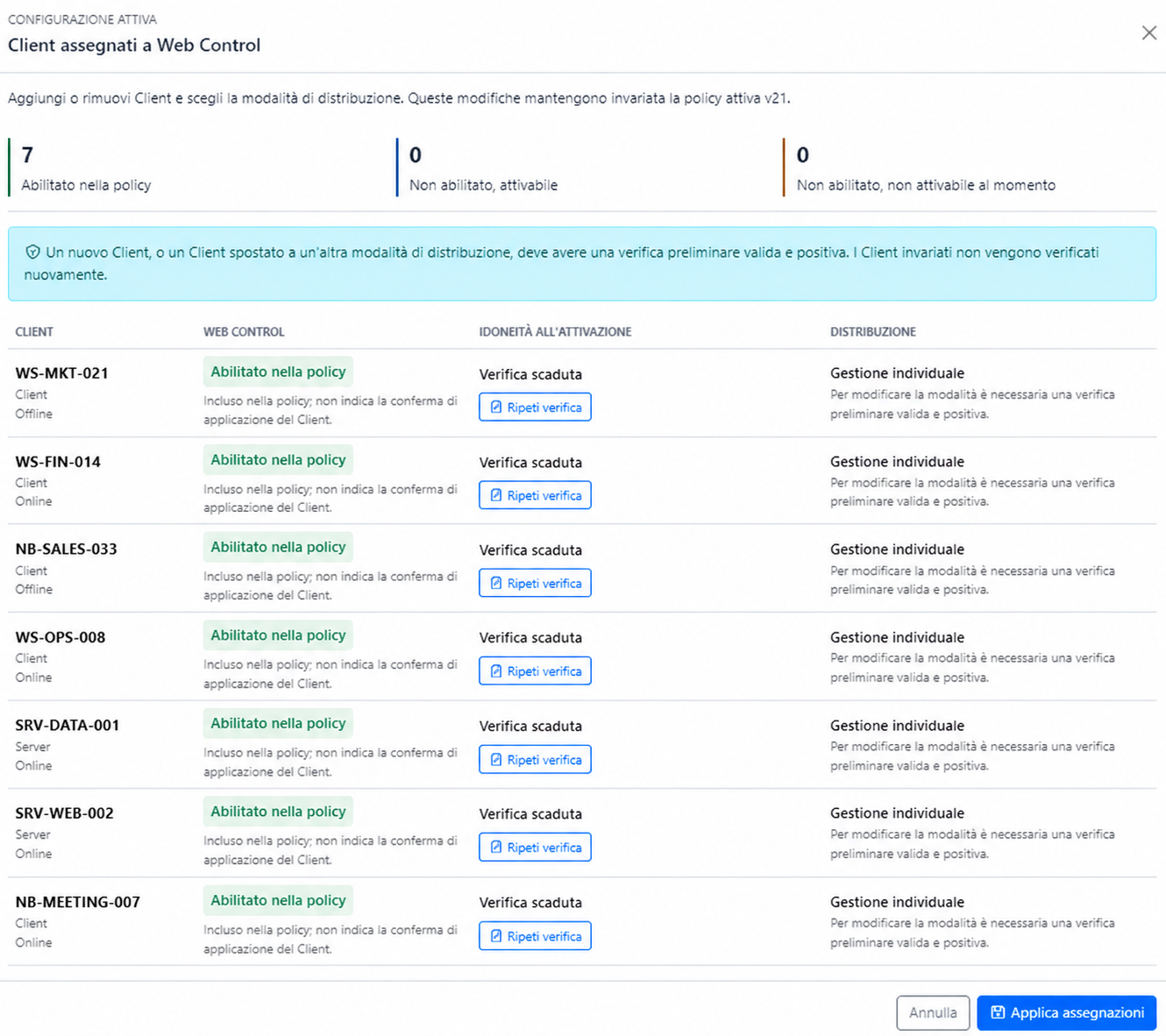
Technical names, status, eligibility and deployment mode make it possible to verify impact before applying changes.
Operational evidence
The Monitor shows allowed connections, distinct domains, identified endpoints and users, as well as received and sent volumes. Colored bands distinguish policy intervals and help interpret peaks and gaps.
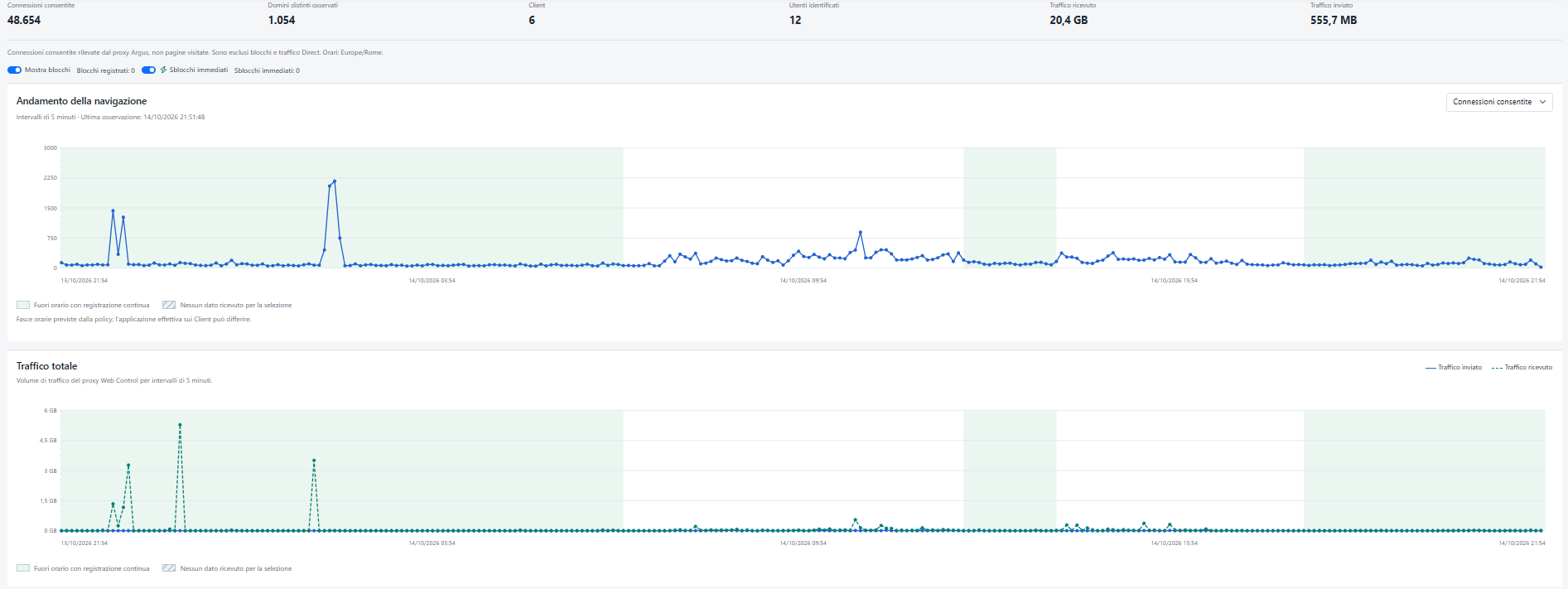
Connections and transferred volume remain separate measures.
Continuous classification
Argus maintains and updates the classification catalog, progressively including newly observed domains. Company customizations remain layered over the central catalog so each organization retains control of its exceptions.
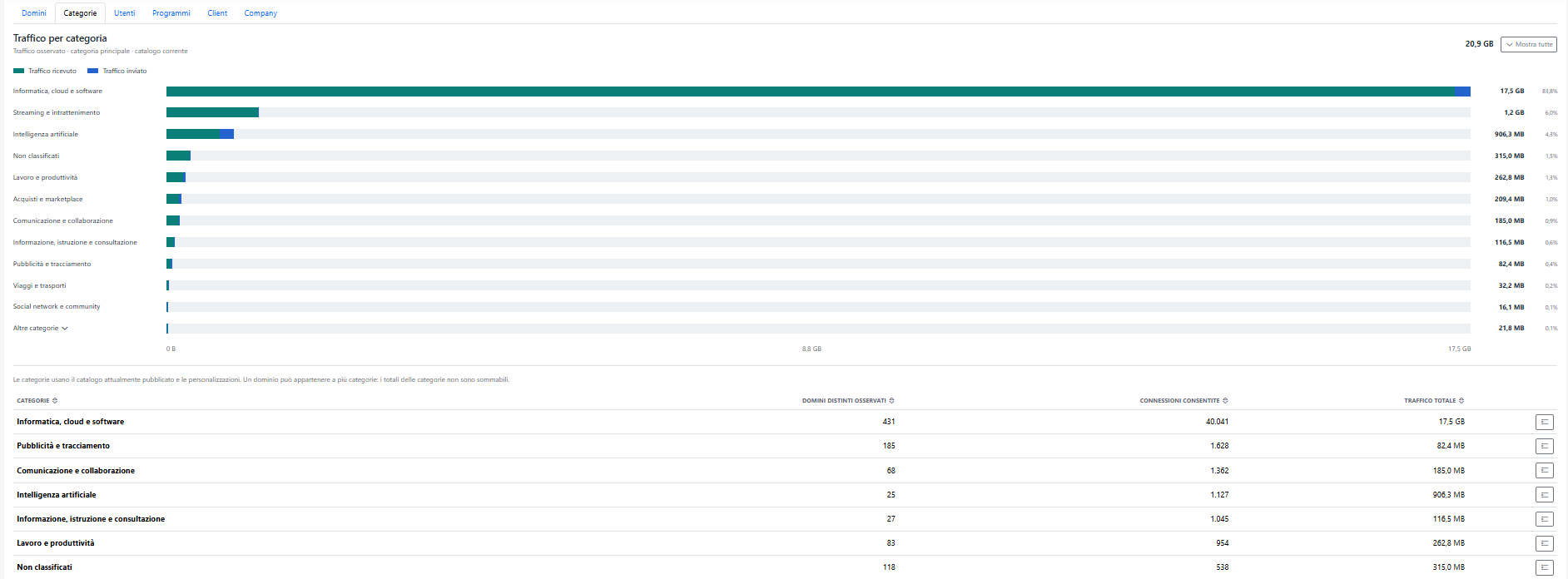
Traffic volume, distinct domains and connections show where web activity is concentrated.
The same evidence, multiple perspectives
Statistics can be explored by domain, category, user, program, endpoint and company. Each view answers a different question while using the same time range and the same data received by the Argus proxy.
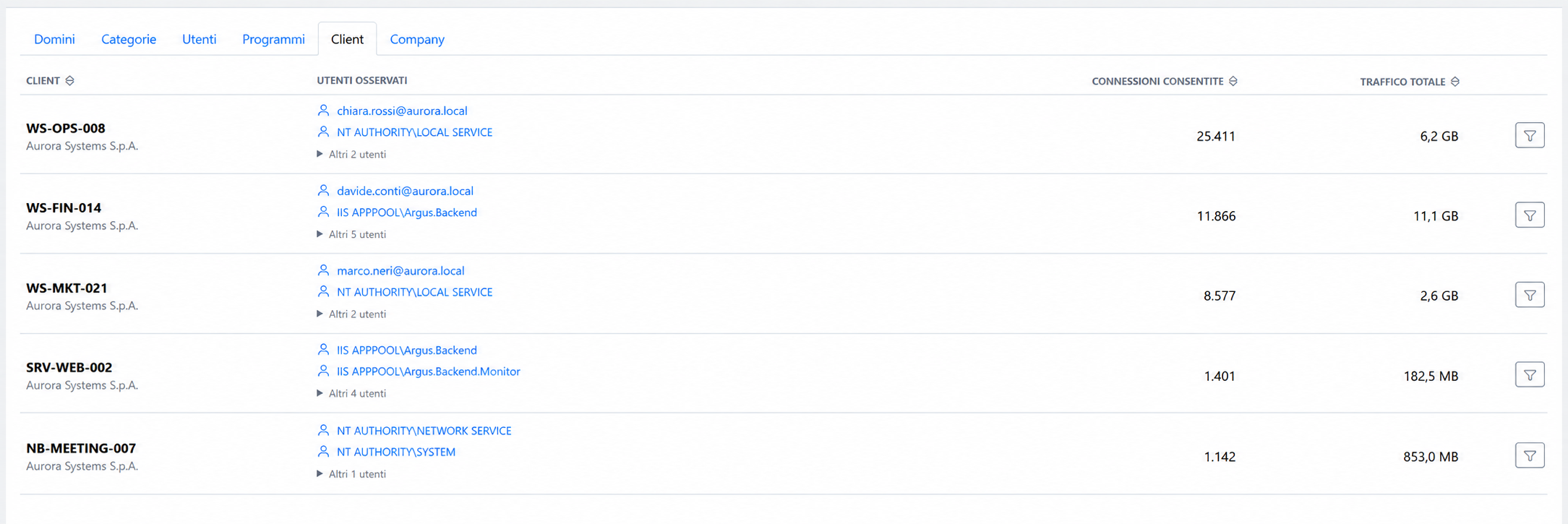
The perspective changes without losing the analysis period or scope.
Statistics represent traffic received by the Argus proxy. Direct or bypassed traffic and blocked connections do not belong to the same telemetry source.