

Secrets and metadata kept separate
Title, destination and notes describe the record; passwords and sensitive content remain encrypted.

Password Vault
Argus protects credentials, passwords, confidential notes and attachments through browser-side encryption. The server stores encrypted content, metadata, protected keys, permissions and audit records.
Zero-knowledge repository
The browser encrypts content and prepares keys for authorized recipients. Argus can govern access, history and recovery without independently decrypting stored passwords.
Title, destination and notes describe the record; passwords and sensitive content remain encrypted.
Files are protected before upload and require the key associated with their version.
Link a credential to endpoints, Network Discovery hosts or generic services.
Find what you use quickly without imposing the same organization on other users.
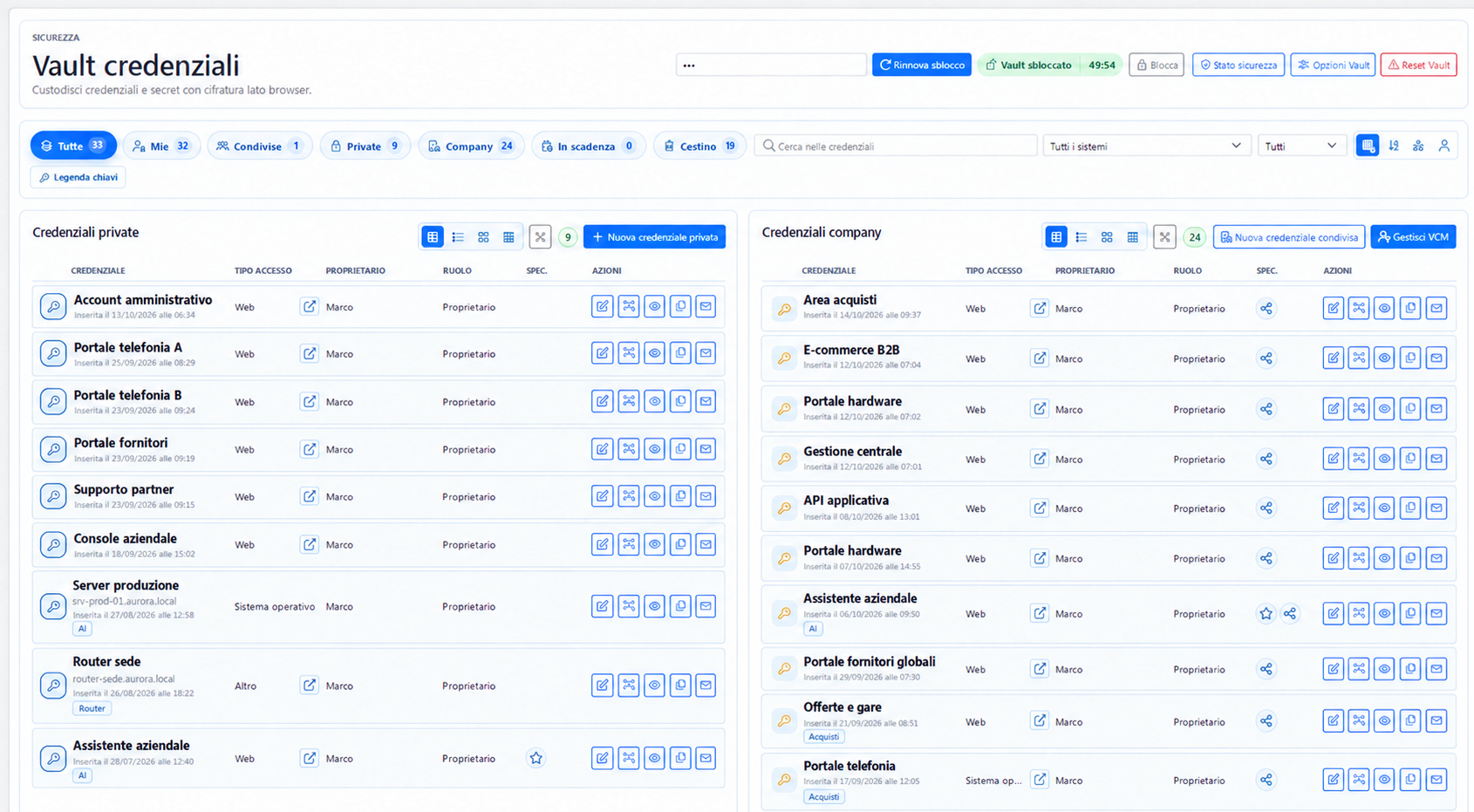
The main page distinguishes private, company and shared credentials at a glance. Counters highlight expiring items and records in the recycle bin, while search and filters quickly narrow the scope.
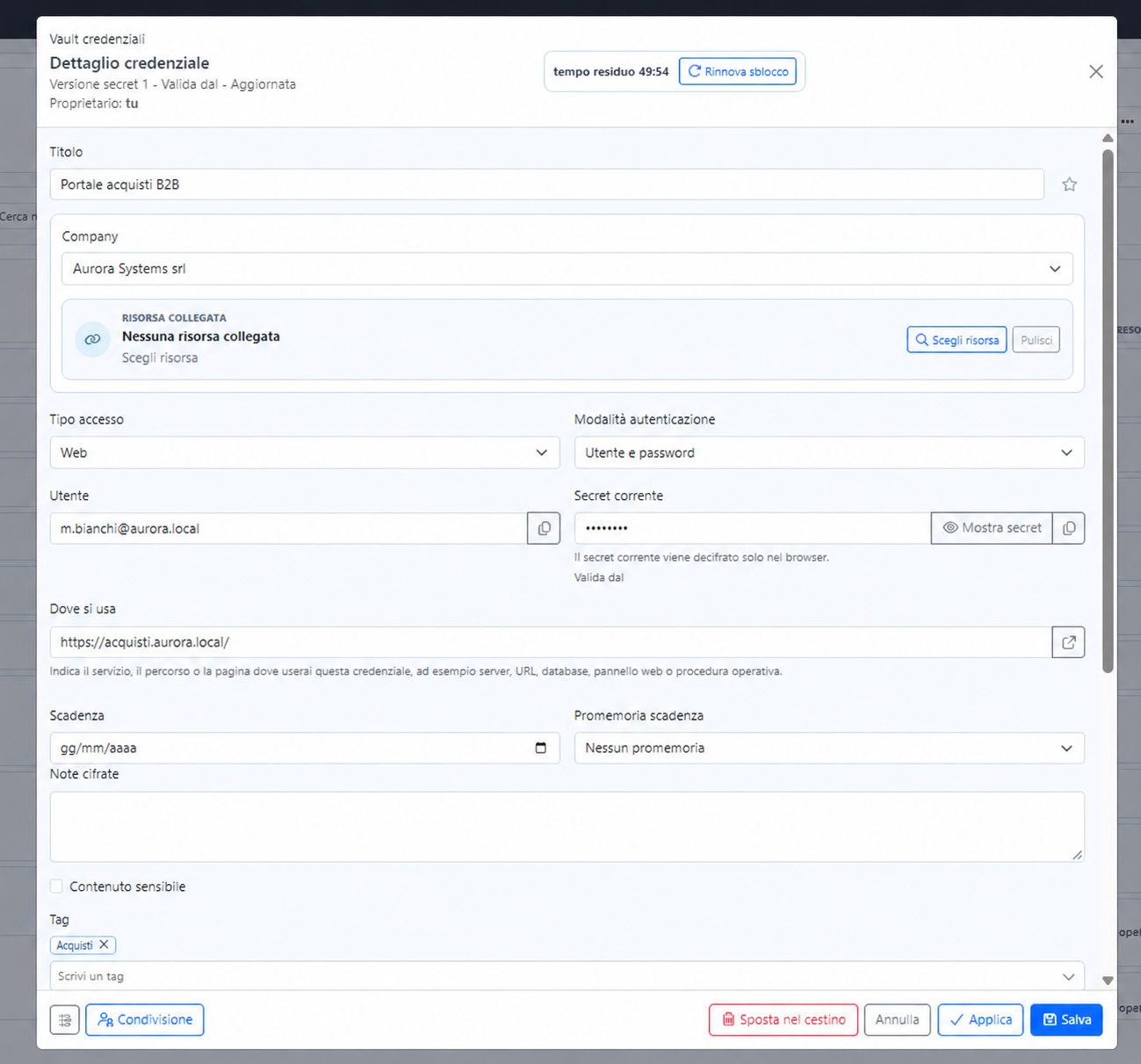
Each record also describes where and how it is used: access type, authentication method, account, destination, expiration, encrypted notes and a linked Argus resource.
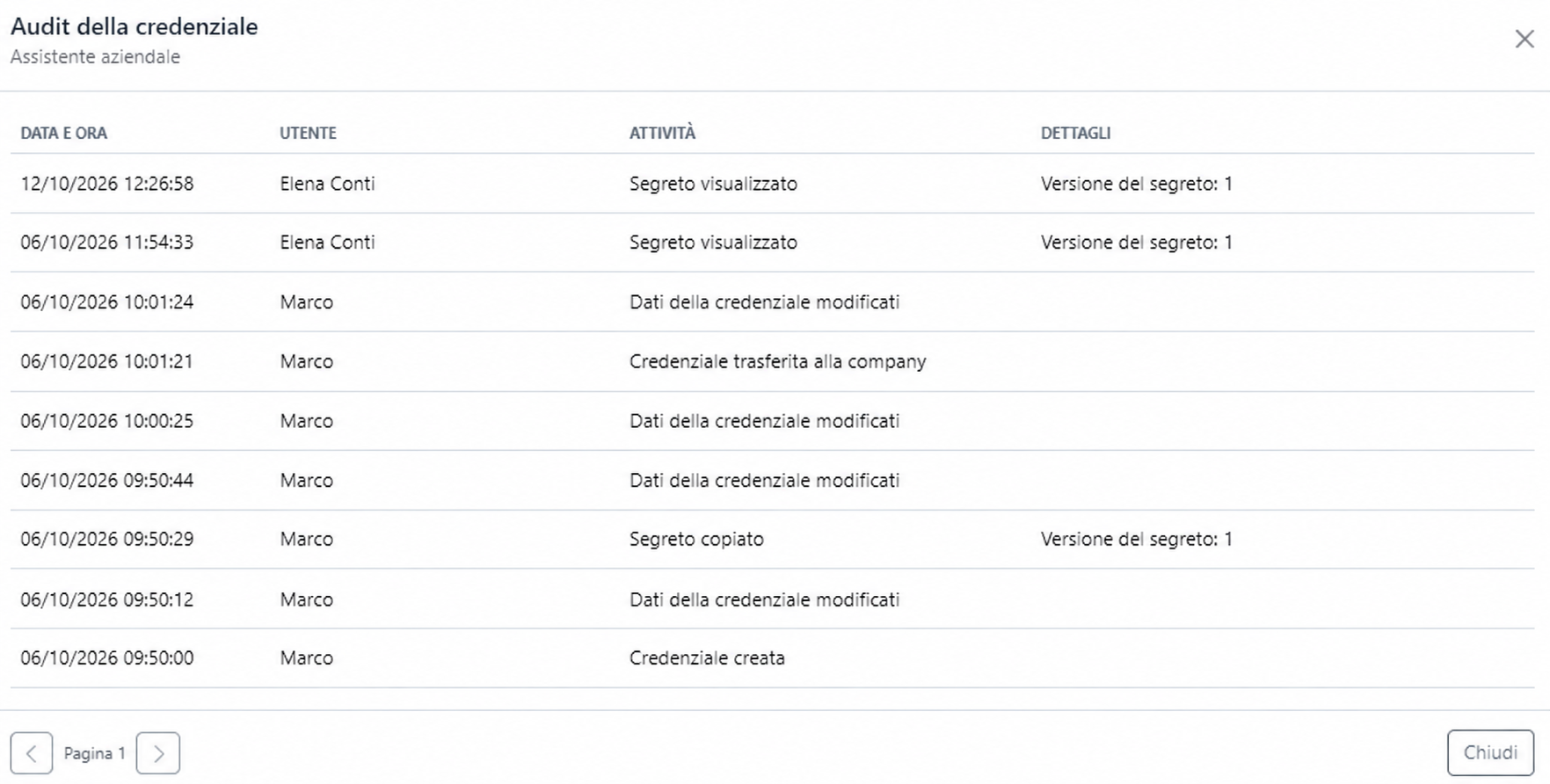
The audit trail reconstructs the credential lifecycle: creation, changes, transfer to the company, viewing and copying the secret. Each event retains the user, date, time and details such as the affected version.
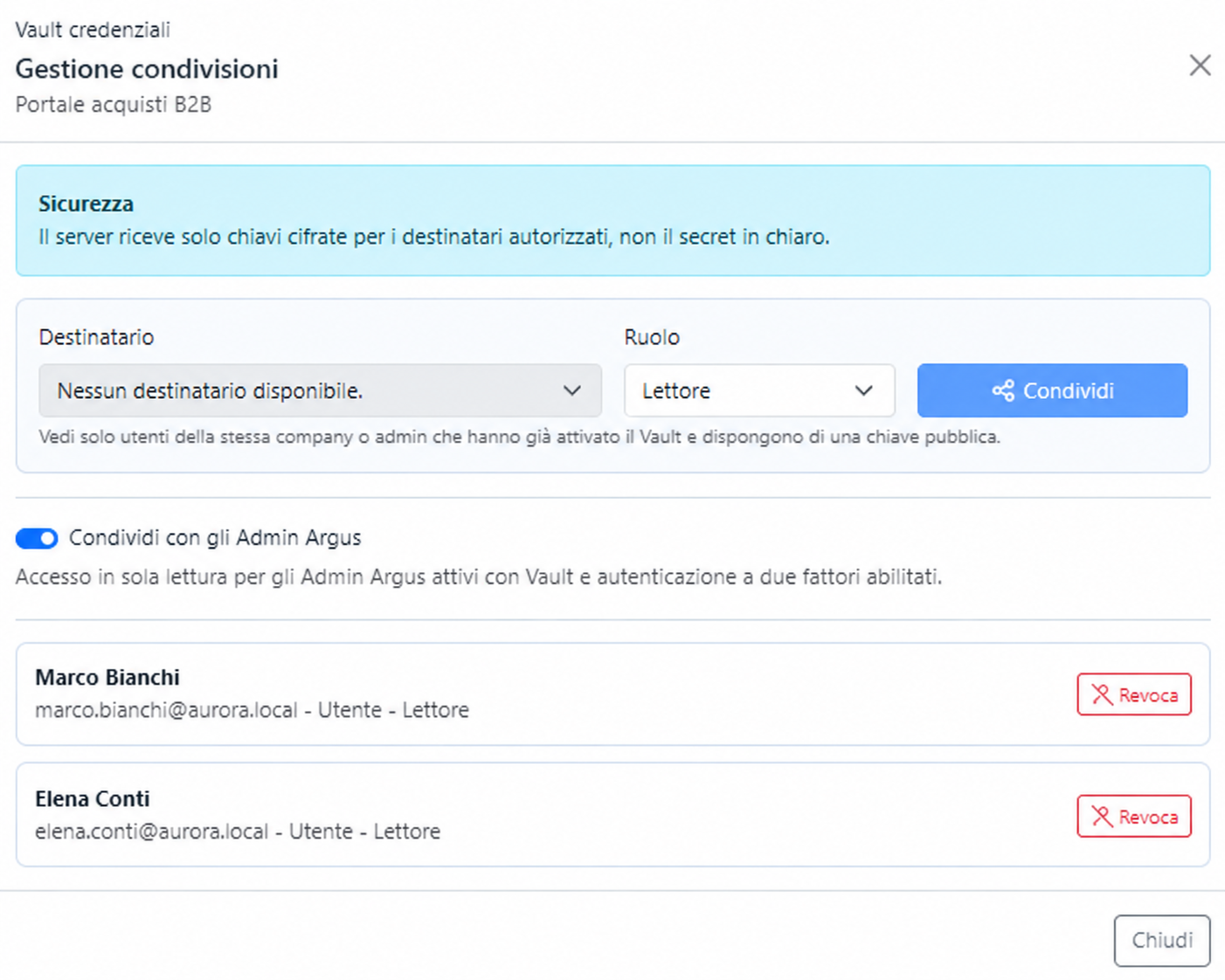
The owner chooses the recipient and role. Only eligible users with an active Vault and a public key ready to receive the encrypted credential key are available.
Manages content, versions, sharing and the credential lifecycle.
Collaborates according to granted permissions, reducing dependence on one person.
Can use the secret without receiving the owner’s administrative capabilities.
Revocation protects future access. It cannot retrieve copies a recipient has already exported or used outside the Vault.
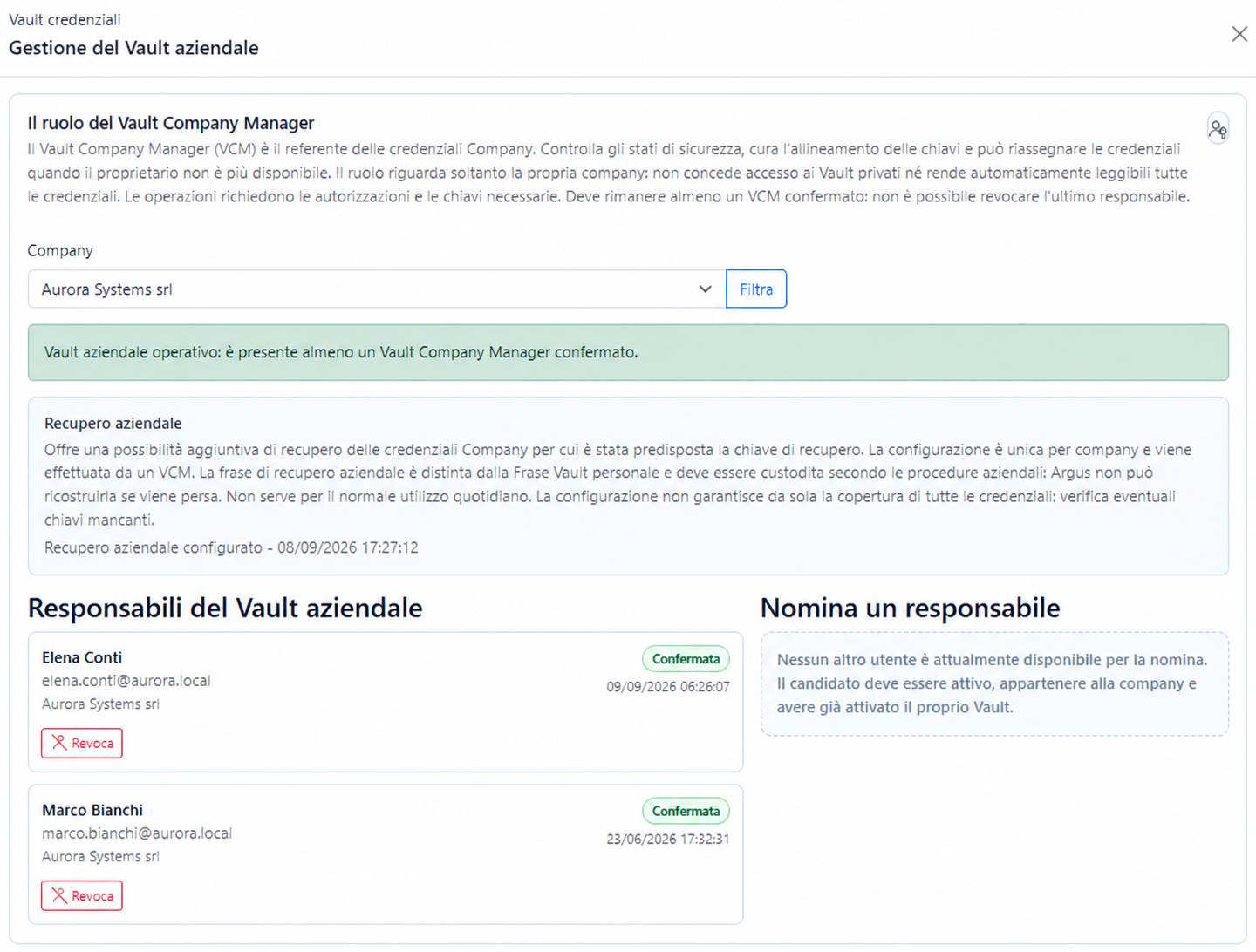
The Vault Company Manager is responsible for company credentials. The VCM reviews security status, oversees key alignment and can reassign credentials when an owner is no longer available.
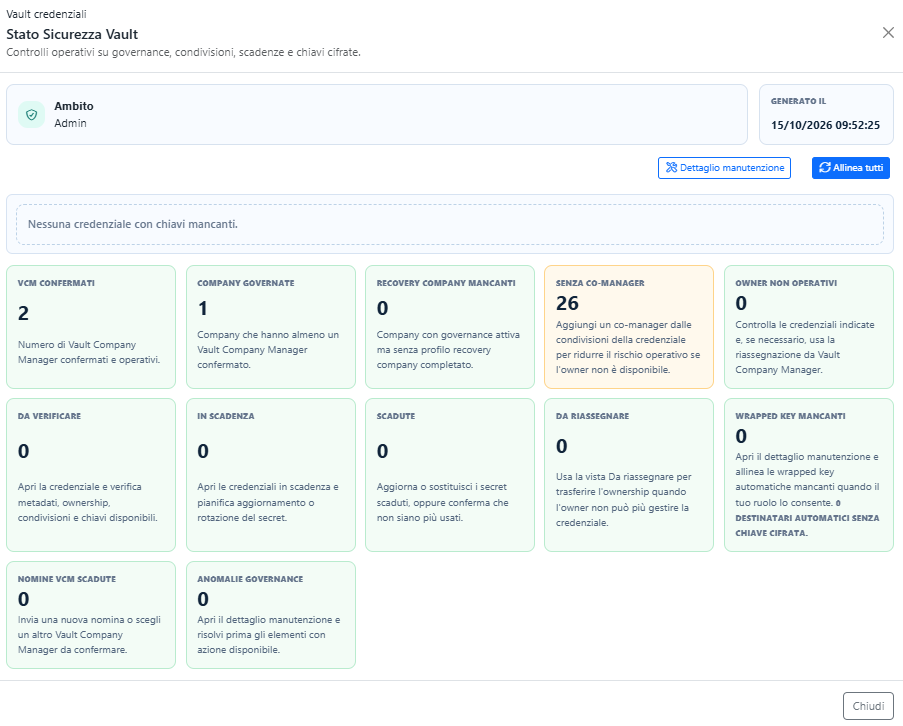
This view does not assign a generic score: it counts conditions requiring attention and explains corrective action. Technicians can quickly distinguish healthy governance from a credential at risk of becoming unmanageable.
“Align all” is a maintenance action. It realigns the expected keys; it does not make secrets readable when authorization or valid cryptographic material is missing.
The Monitor can highlight missing roles, expirations, governance issues and keys that require alignment. It cannot bypass the zero-knowledge model to reconstruct content without the necessary keys.