

Restart and shutdown
Organize out-of-hours work within a defined validity window.

Operational Scheduler
Plan one-off or recurring activities on one or more endpoints, assign execution windows and follow the path from the scheduled time to the returned outcome.
Governed activities
The Scheduler turns repetitive operations into readable, editable and verifiable plans for endpoints or system groups.
Organize out-of-hours work within a defined validity window.
Request periodic technical snapshots for later comparison and analysis.
Schedule Asset Inventory and Network Discovery to keep infrastructure knowledge current.
Coordinate system wake-up and planned operational queries.
One operational point
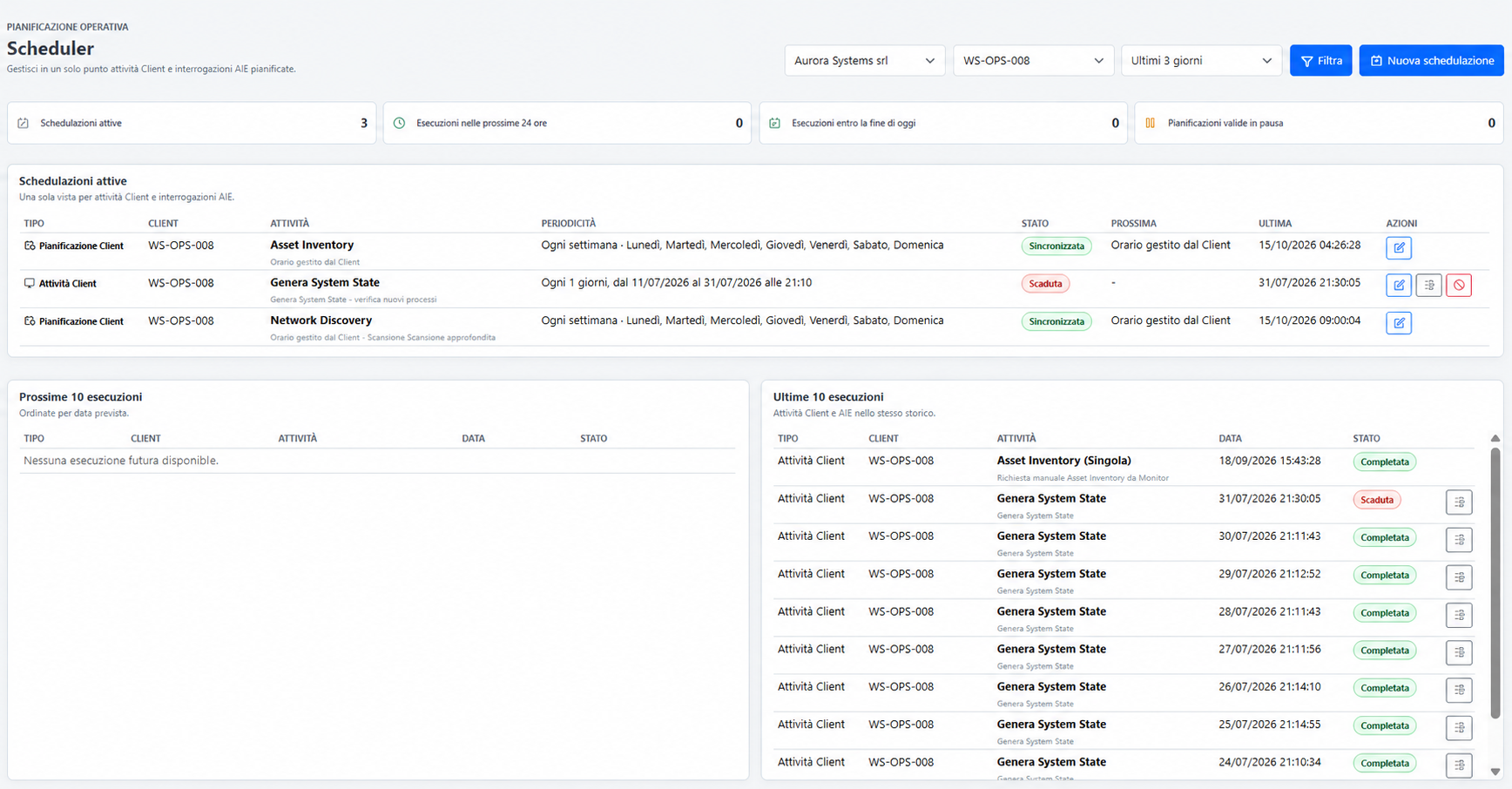
The Scheduler immediately shows what is active, what is due in the coming hours and what has already run. Company, endpoint and period filters move from the overall situation to a single system without losing context.
Activity, recurrence, status, next execution and last execution are readable together.
Upcoming activities remain separate from completed, expired or failed executions.
From each row, technicians can modify the plan or open available execution details.
Four distinct moments
Argus keeps Scheduler status, command delivery, endpoint execution and subsequent confirmation separate. This is the difference between planning and truly knowing.
Designed to scale
Technicians can use the same logic for a server, workstation or endpoint group while keeping the plan separate from executions generated over time.
One date and time for an activity with a precise goal.
A simple recurrence for periodic checks or data collection.
Calendars aligned with company operating windows.
Pause a plan without deleting its definition or history.
This feature schedules Argus operations on endpoints. It is not an inventory of Windows Task Scheduler and does not consider an activity successful simply because its scheduled time has arrived.