

Find dominant consumers
Percentages show which folders have a material impact on the volume.

Hierarchical storage analysis
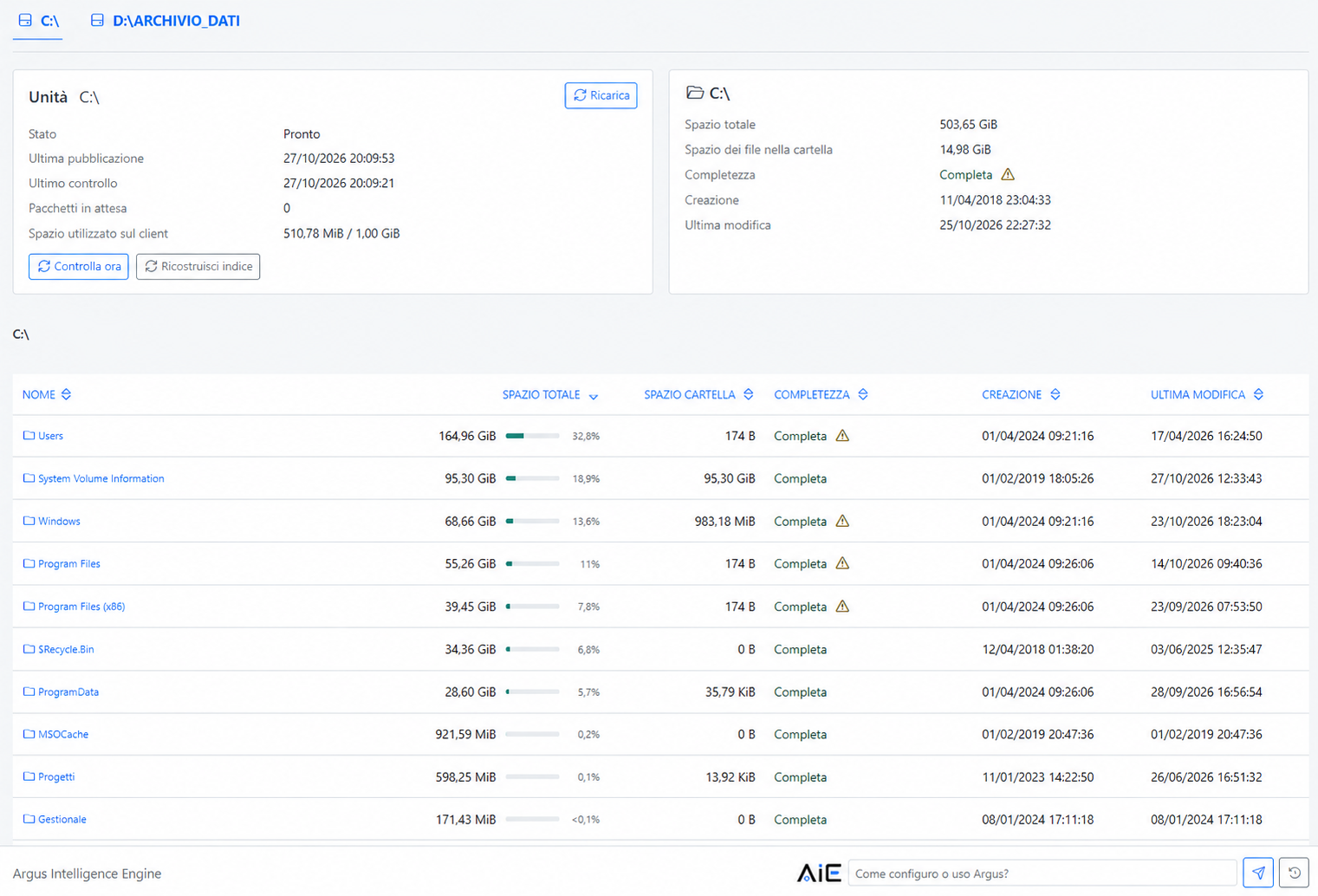
Tree View organizes disk space as a navigable structure. It starts from the drive, measures folder weight and lets the operator follow the path down to where occupancy is actually concentrated.

A view that follows the real structure
Overall capacity reveals the symptom. Tree View adds the context needed to trace its source by comparing folders, subfolders and files stored directly at each level.
Move from the drive to folders while keeping the analyzed path visible.
Sort items by total space, direct weight, creation or latest modification.
Check status, latest publication and data completeness before deciding.
Each row combines name, total occupied space, the weight of files stored directly in the folder, index completeness and time references. Percentage bars make comparison immediate even on very large volumes.
From signal to source
Tree View guides the analysis one level at a time. Start from the growing volume, compare its main branches and continue only where occupancy warrants a closer look.
Why it matters
The hierarchical view reduces the steps between warning, endpoint and filesystem while keeping the evidence behind the conclusion visible.
Percentages show which folders have a material impact on the volume.
Sorting moves the branches that deserve attention to the top.
Index status prevents an incomplete collection from being treated as final.
Creation and modification dates help explain the source of growth.
Tree View shows whether a branch has been fully indexed and when the Client published its latest update. If the evidence is not sufficient, the check can be requested again or the index rebuilt before action is taken.